Product Designer - Associate Product Designer | Feb 2025 - March 2025
ExpressVPN is a global VPN service focused on user privacy and security. I worked on designing the Auto Connect feature across Wi-Fi and cellular, ensuring users stay protected automatically as they move between networks.
Device:
Android (launched), iOS

Auto Connect feature design
background
VPN protection is only effective when active, but users often forget to connect or unknowingly switch to unsafe networks. This creates gaps where sensitive data can be exposed, especially during everyday transitions like joining public Wi-Fi.
My role
I designed the Auto Connect experience across Wi-Fi and cellular, aligning behaviour with user expectations across platforms.
I collaborated with product to define rules, flows, and system behaviour for a seamless and intuitive experience.
The project was in progress when my role concluded due to company restructuring.
impact
Improved user security by enabling automatic VPN protection on untrusted networks.
Increased adoption by making Auto Connect easier to understand and configure.
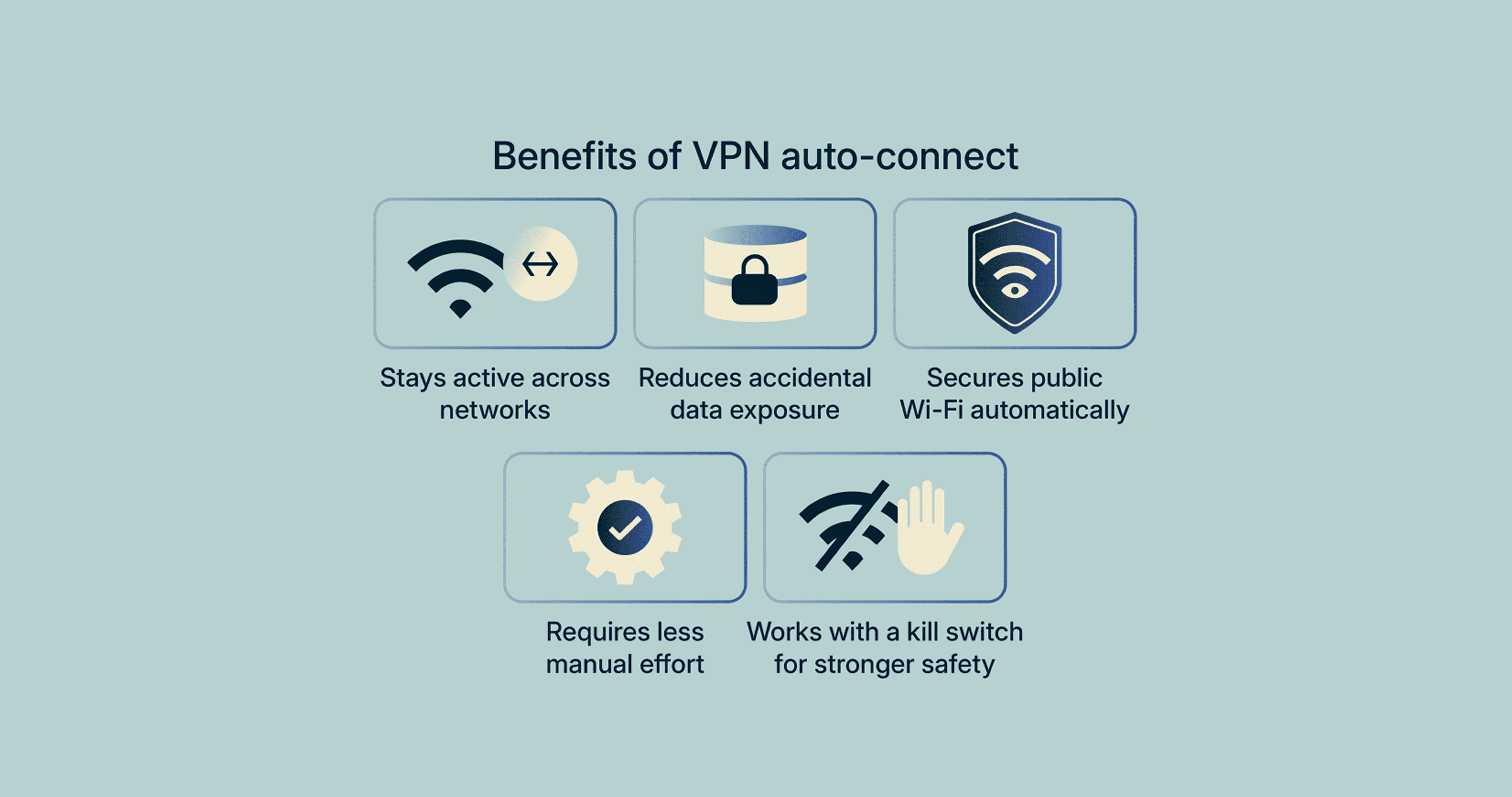
Image Source: expressvpn.com/blog/vpn-auto-connect/
Problem
Users often forget to manually connect to the VPN
Devices may send unprotected traffic when switching networks
There is limited awareness of secure vs unsecure networks
Existing settings do not clearly explain how Auto Connect behaves
Platform inconsistencies create confusion across devices
SOLUTION
Security should not rely on user action. It should work automatically, but remain understandable and controllable.
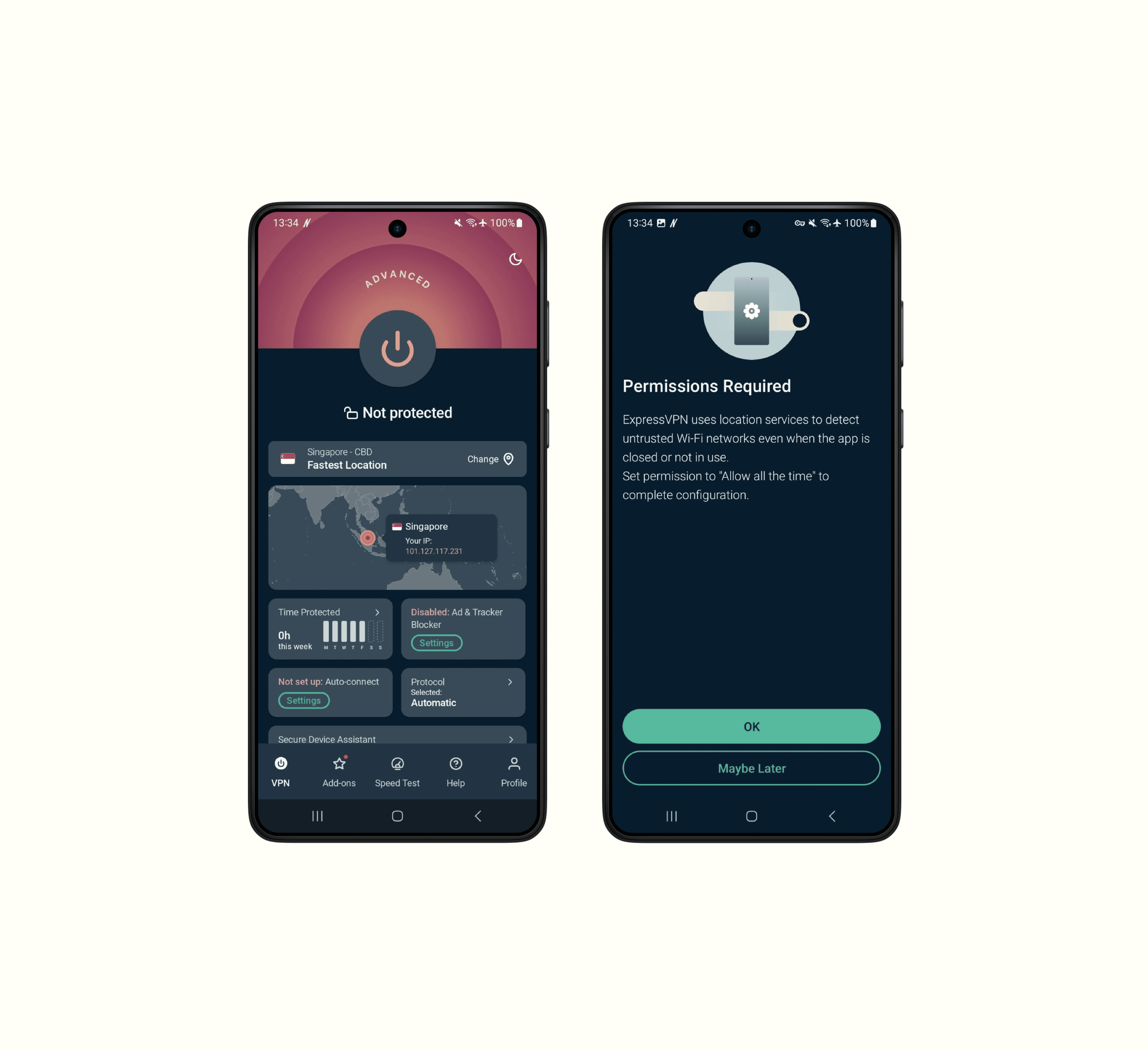
Designed a rules-based system where users can control VPN behaviour across different network types, including startup, untrusted Wi-Fi, and trusted networks, using simple toggle controls.
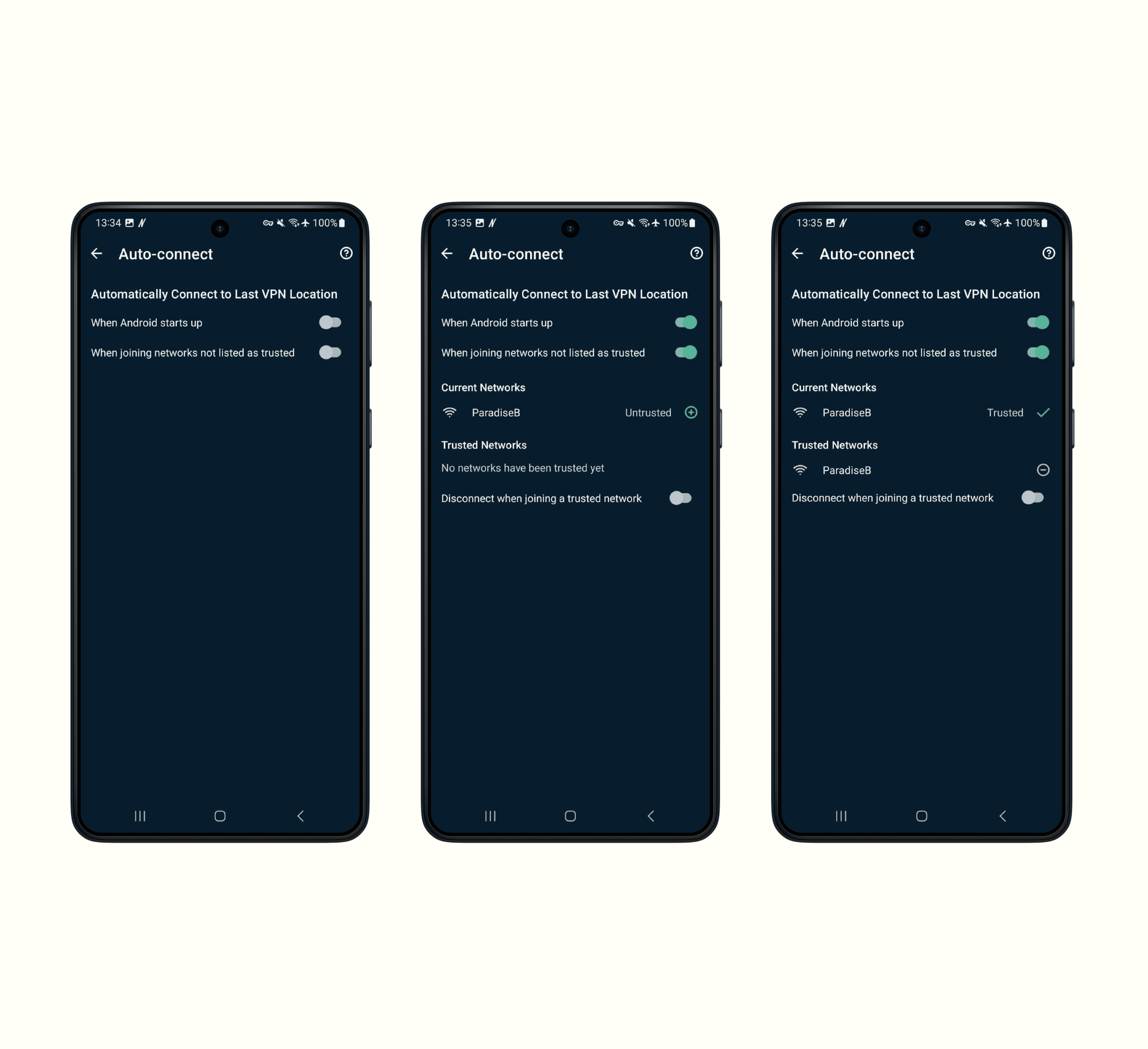
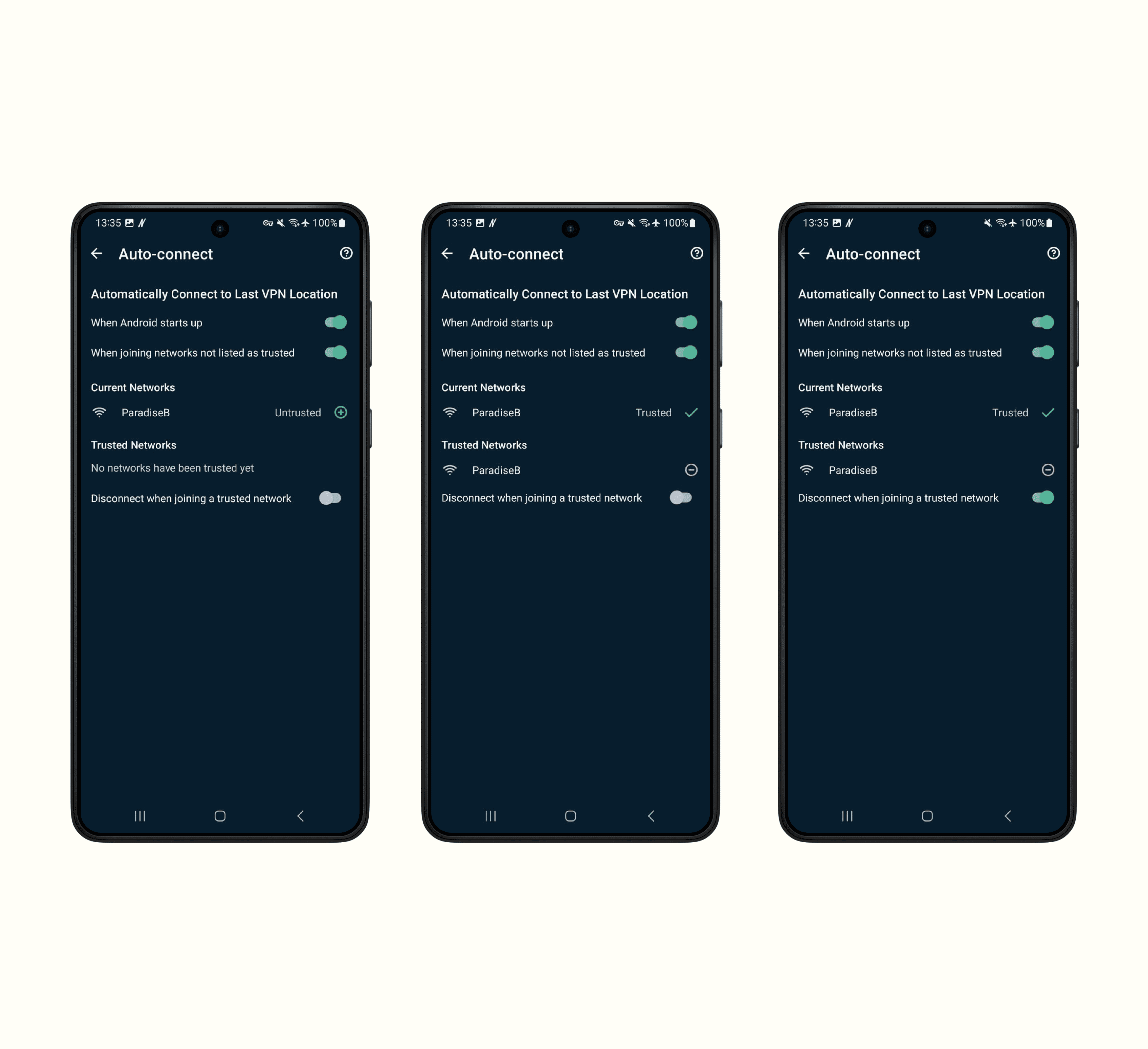
Designed the experience to dynamically respond to network changes, allowing the VPN to automatically connect or disconnect based on trusted and untrusted network states.
OUTCOME
Reduced
risk of unprotected traffic during network changes
Enabled
automatic VPN protection on untrusted networks
Improved
reliability of background security without user action
REFLECTION
System design over screen design
Designing Auto Connect required thinking beyond UI to define behaviour, rules, and edge cases across different network conditions.
Transparency builds trust in invisible features
Even when a feature works in the background, users need feedback on what is happening to feel in control.
Other Work at ExpressVPN
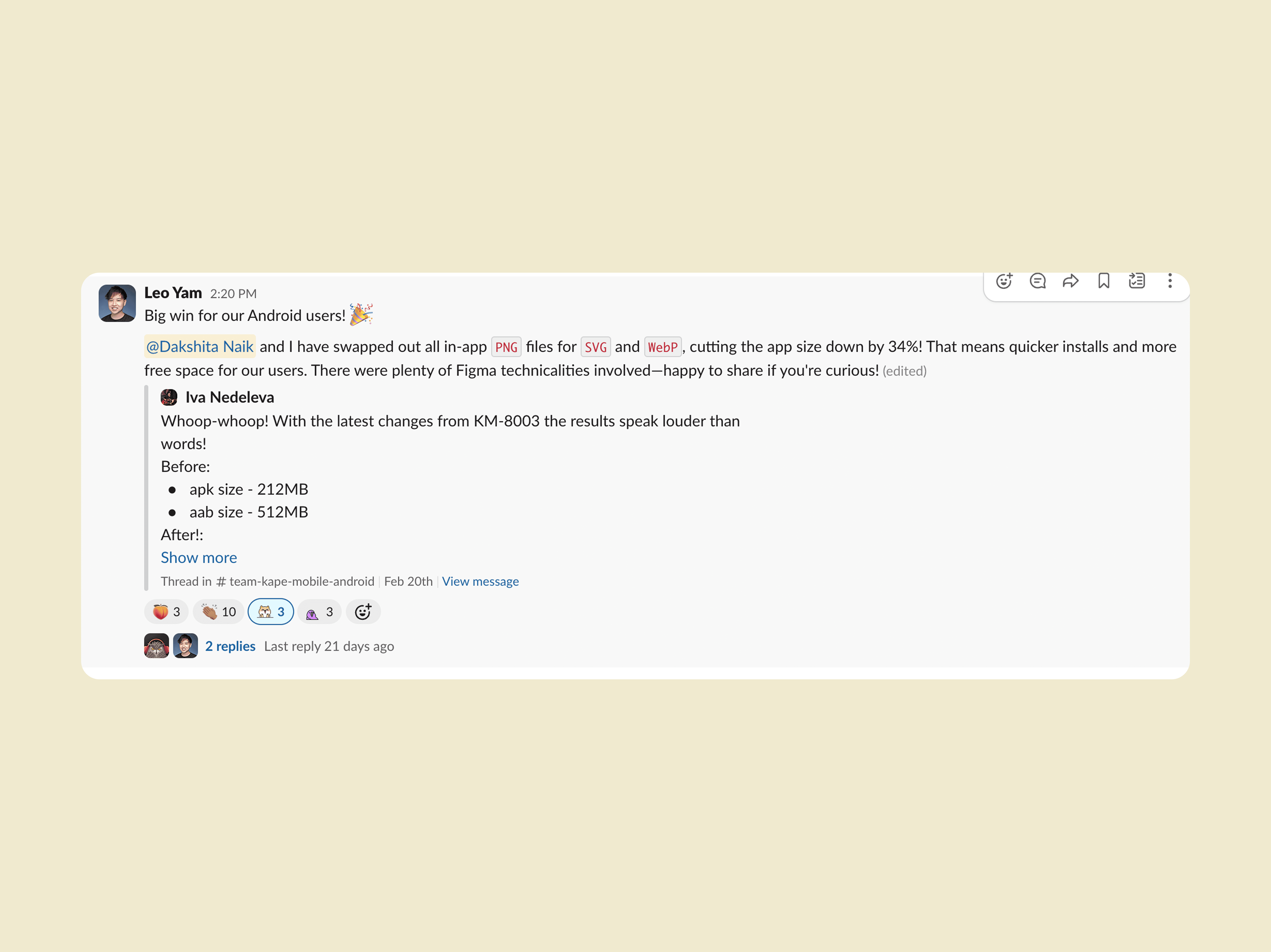
Optimising App Performance and Size
Replaced PNG assets with SVG and WebP formats across the Android app, reducing app size by 34% and improving install speed and storage efficiency
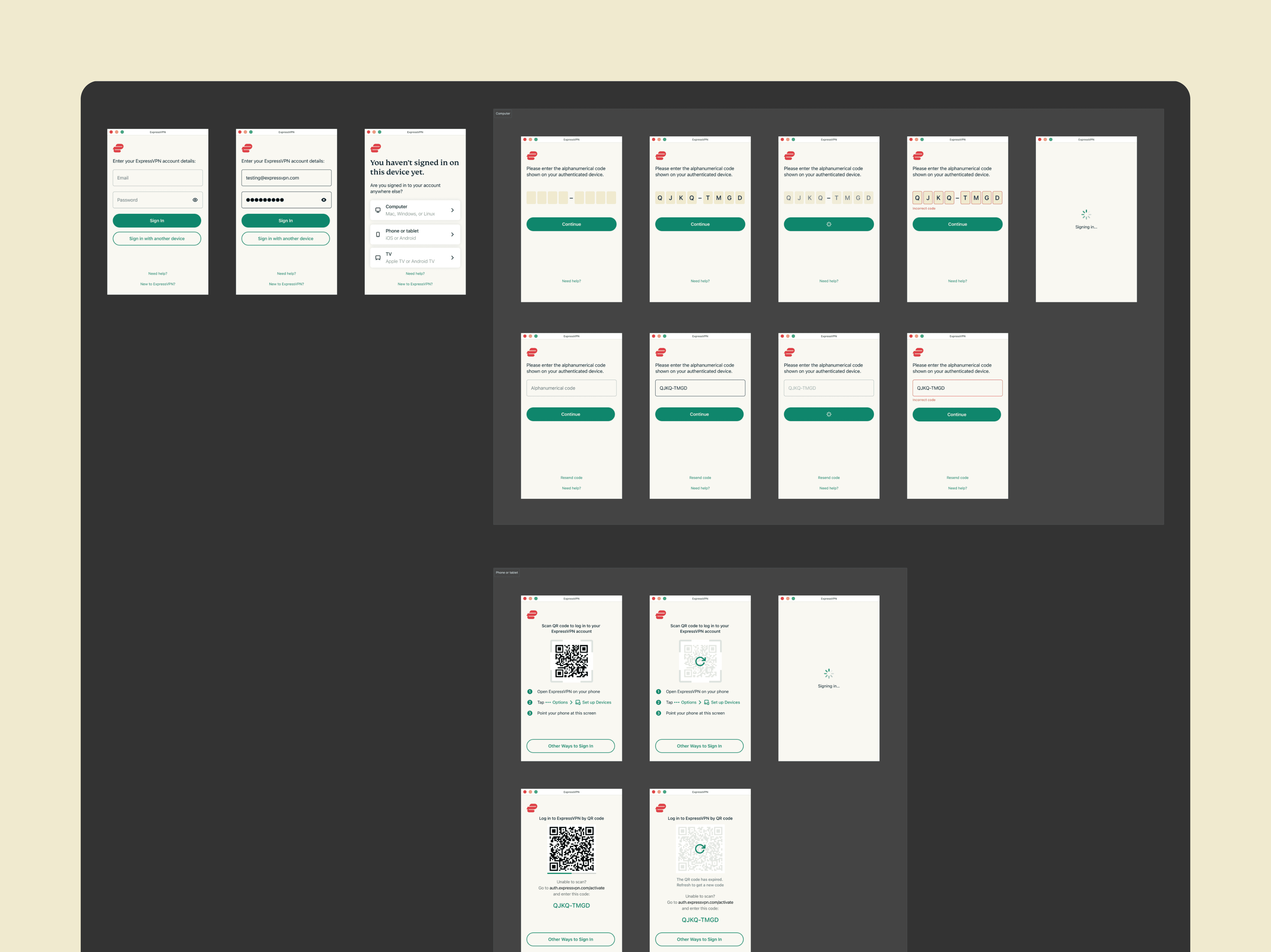
QR-Based Authentication
Designed iOS and macOS login flows using QR codes to enable seamless and secure cross-device authentication while reducing drop-offs
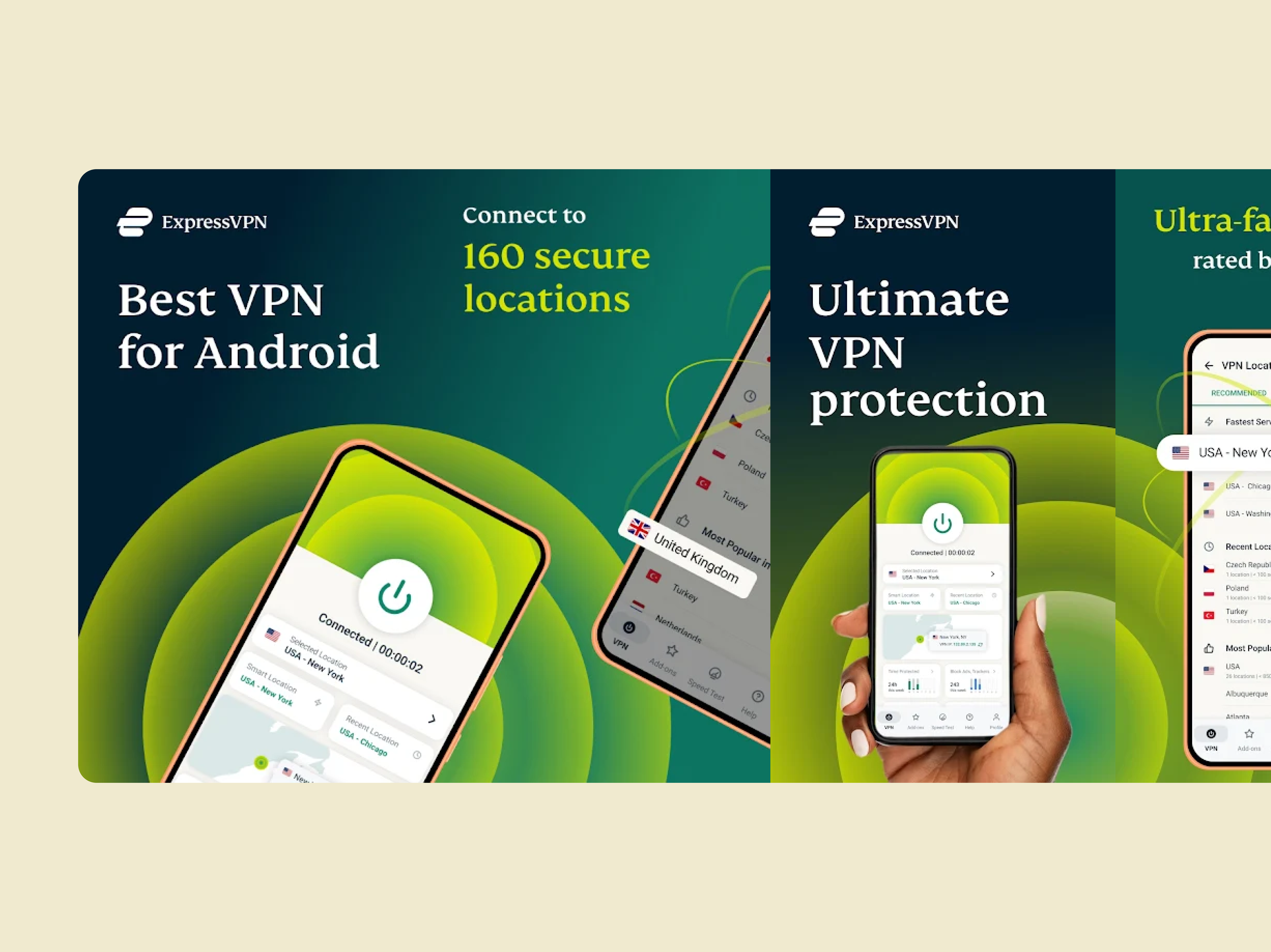
App Store Experiences
Created App Store and Play Store visuals to communicate value clearly and improve first-time user conversion
